
Child Impact launches a prototype LINE account to help teachers and child-focused workers find relevant resources and knowledge in a single chat
Child Impact has developed a trial LINE Official Account where teachers and child-focused workers can briefly describe a problem and immediately receive relevant resources, knowledge, stories, activities and funding sources from the Child Impact library. It has been live since 4 October 2026.
Translated from Thai by AI
Why LINE
Child Impact has a library of more than 400 learning resources and materials, which is the most-used part of the platform. However, teachers, local public health staff, organisations working with children and parents are using the website less, while people in Thailand use LINE every day. The team therefore created a LINE account as a direct gateway to the Child Impact library, starting primarily with teachers.
How to use it
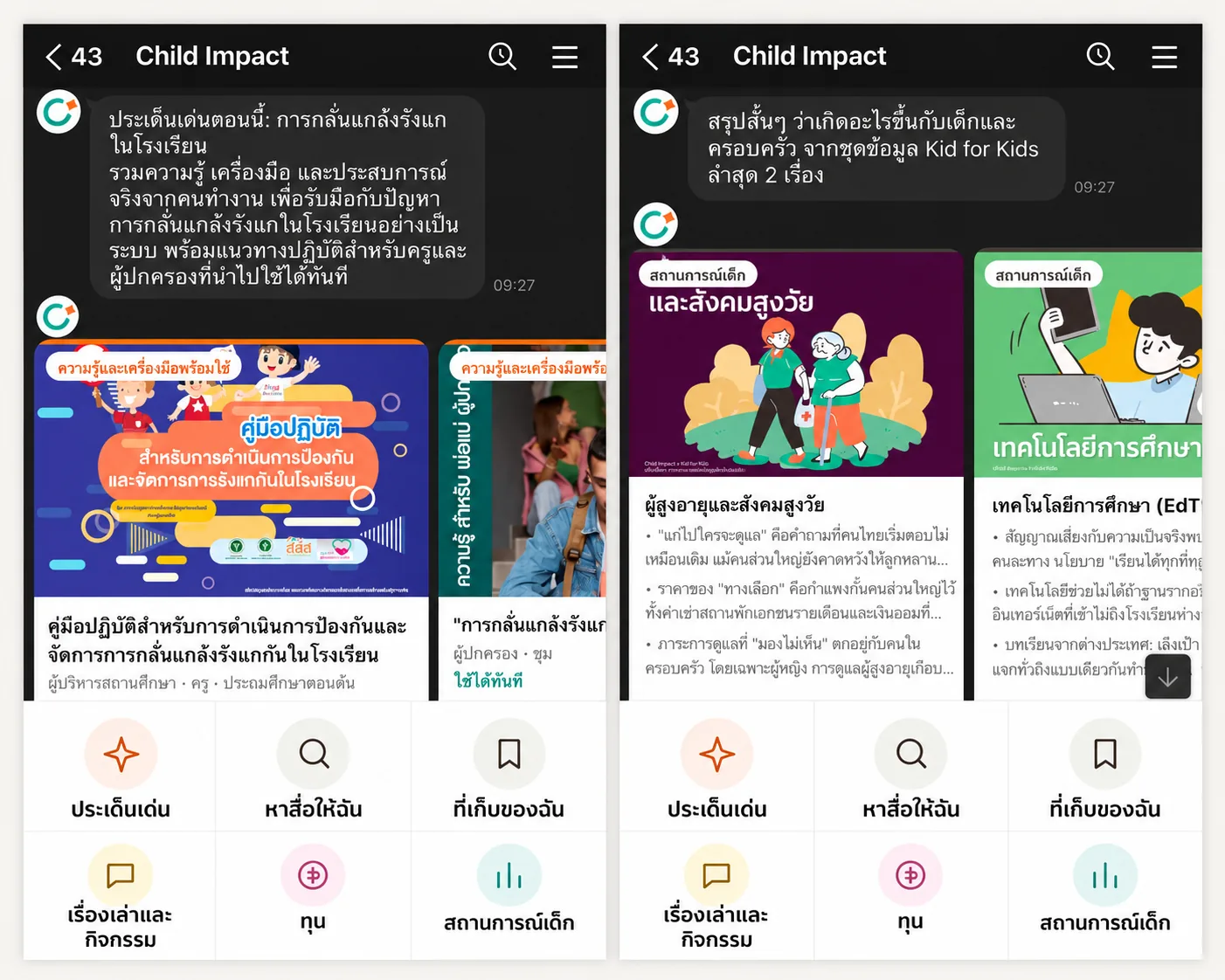
When users add the account as a friend, it displays the latest “Featured issues”, like the website homepage. It then asks about their role (for example, teacher, school administrator, child development centre, or parent) and the age group of the children they care for. They can answer or skip these questions. Users can then choose between two options:
- Briefly describe a problem they have encountered, such as an issue with a child in the classroom. The system reads the Thai words in the sentence and responds with the most relevant collection of knowledge first, followed by relevant learning resources, articles, activities and funding sources. It also indicates which words it identified, so users can check whether the system understood correctly.
- Tap a menu at the bottom with six options: Featured issues, Search by problem, My bookshelf, Stories and activities, Funding sources, and Child situations from the Kid for Kids series.
Users can save resources they are interested in to their own bookshelf and share them with colleagues or a school LINE group in just a few taps. When they return, the account notifies them about new resources on topics they have previously been interested in and asks how useful the resources they opened last time were. This feedback is combined with the feedback ratings on the website, helping the team identify which resources work in real classrooms.
On the website, knowledge, issue and campaign pages have an “Open this in LINE” button, allowing readers to send what they are reading into a chat straight away. On mobile, it is a button; on a computer, it is a QR code.
Designed to be safe and simple
- Personal data protection The account explains from the outset what information it collects and asks users not to enter the names of children or other people. Users can view their own information and request its deletion themselves, and messages they send are automatically deleted after 180 days.
- Urgent support cards If a message appears to concern an emergency or danger to a child, the account always displays the relevant helpline numbers first: 1669, 1300 and 1323.
- Replies only, no unsolicited messages The account replies when users contact it. It does not send advertising or notifications on its own, so it can be used without messaging fees.
- Starting with verifiable search rules The trial version matches Thai words using a list created by the editorial team. It does not yet use AI to respond, so every answer can be explained and quality can be controlled.
Learning from users’ actual questions
Every question is recorded anonymously and summarised in reports for the team. Questions the system cannot yet answer are collected. The team uses them to add search terms to existing knowledge collections or as prompts for creating new knowledge campaigns, allowing the Child Impact library to grow in response to the actual needs of teachers and child-focused workers.